Connectivity from Khumbu
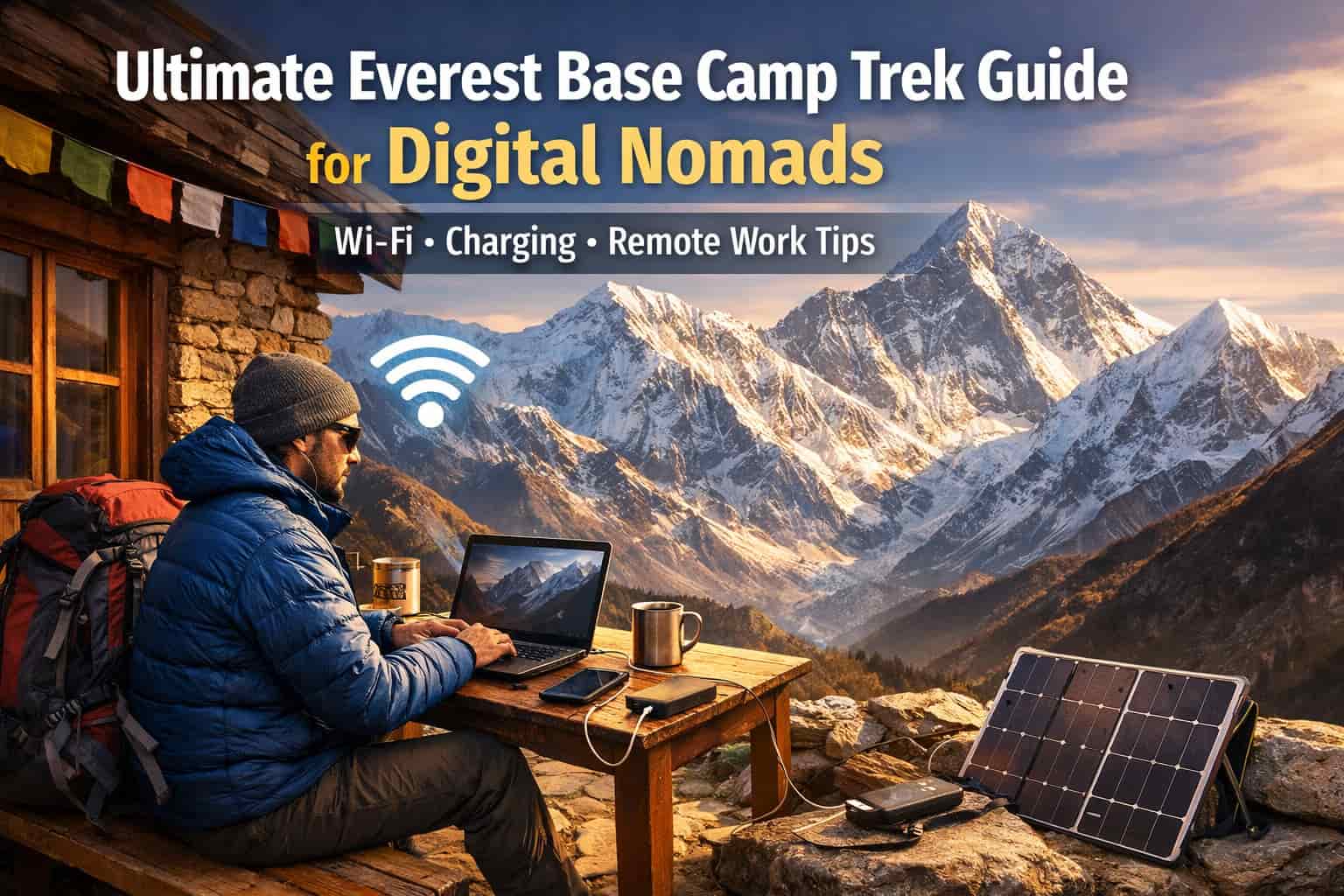
When you think about working from the Everest Base Camp Trek, the first question that strikes you is ‘Is there Wi-Fi at the Everest Base Camp?’. Well, the answer to that is yes, but there is a catch. Let's move to connectivity options on the Everest Base Camp trek. While the speed and reliability of internet on the EBC trek varies based on the altitude and weather, internet connectivity is available throughout much of the trek.
Below are the three main internet options available on the EBC trek:
1) Mobile Data via Local Operatorsost
An easy way to stay connected while trekking in Nepal is by purchasing a SIM card from the local operators: NTC or Ncell. But this is good for lower altitude, and the reliability reduces as you go towards higher altitudes. If you want more speed in the low altitude region, you can opt for an Ncell SIM as it provides decent 4G/LTE for high-speed uploads and video calls up to Namche. However, once you go higher, you might lose the signal.
If high altitude coverage is what you are looking for, go for the NTC SIM card as it is the government-backed provider and generally reaches further up the trail. If you're working from Pheriche or Dingboche, NTC is your best bet for a 3G/4G signal.
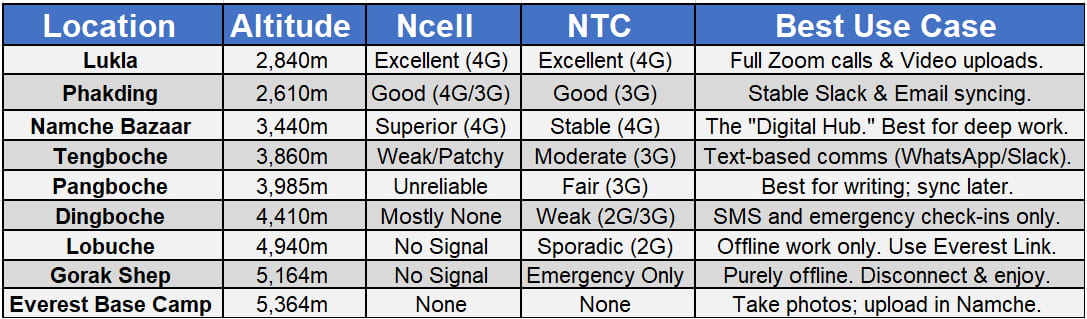
Carrying both the SIMs is also a good option as you can rely on one if the other fails. The range of the network keeps switching between 4G and 3G. However, in high altitude regions, the connection might even drop to 2G at some places. At places like Gorakshep and higher, which is the digital death zone on the trek, don’t expect much connectivity from these SIMs. As you go higher than Dingboche, the coverage becomes patchy. When using data through these SIMs, a pro tip would be to dial *17123# for Ncell or *1415# for NTC to buy Large Volume Data Packs (20GB+). It is roughly 5x cheaper than using your main balance.
Below is a cheat sheet of the coverage breakdown so that you can set realistic expectations for the trek:
2) Everest Link:
This is the primary internet network available in the Everest Region, and it comes to your rescue when the mobile network gets patchy. The Everest Link is designed specifically for this region, and it operates via wireless towers installed throughout trekking villages.
It is a prepaid scratch card which is available in most of the teahouses in the Everest region and the cost ranges between 10 to 20 USD. Once you activate the card, you can use it across multiple locations throughout the trek. The standard data you will get will be 1 or 2 GB which you can use for up to 30 days with a bandwidth enough for messaging and social media. However, use the card patiently and don’t overload it.
3) Teahouse Wi-Fi:
Most teahouses in the Everest region offer Wi-Fi access. This could be via Everest Link or through local networks. Accessing this service comes with an extra cost and this price increases with an increase in altitude. However, the speed of this connection depends on the demand. Many people in the teahouse will be connecting to the same connection which keeps the speed slow, just enough for messaging. The speed of the internet is also affected by the weather, and it might be stronger in the communal areas and slower in your room. Thus, teahouse Wi-Fi is not that reliable if you want to work during the trek.
Read More: Network and Connectivity in the Everest Region
Electricity on the EBC Trek: Keeping Your Office Charged
The Everest region does have an availability of electricity. In the lower areas, it is powered by hydropower and in the higher areas you will mostly find solar powered electricity. Either way, this is enough to keep your devices charged and running for work. To access charging services, you need to pay extra as it is a remote region with limited resources.
You can charge your devices like phones, laptops, cameras, and power banks in the teahouses of the Everest region. Charging costs range between 2 to 10 USD per device. The higher the altitude, the more the cost. It is still best if you carry high-capacity power banks, solar based chargers, and devices with longer battery life as charging facilities might not be available sometimes. It might be occupied when you need it.
Best Villages for Remote Work on the EBC Trek
While remote work is possible from most of the trek, some locations definitely have stronger connectivity and atmosphere for working people.
Below are some of the locations on the EBC trek where you can find the best vibes and the strongest signal:
Namche Bazaar:

This is the digital nomad hub of the Himalayas. Along with the strongest connectivity on the trek, you will also find cafes and bakeries with internet, good espresso, power outlets, and a social nomad vibe in Namche Bazaar. Plus, you will be acclimatizing in Namche Bazaar for at least a day so you can get a lot of your work done during that day. This gives you more time to explore stressfree during the trekking days.
Also Read: Best Things to do in Namche Bazar
Dingboche:
While the connectivity in Dingboche is just decent, the place makes for a quiet and productive workspace. Set against the background of the Himalayas and a relaxed environment, Dingboche is ideal for deep work sessions.
Lukla:

Lukla provides great connectivity before and after your trek. You can spend a day here or just work as you are waiting for your return flight. With good mobile data and reliable electricity, you can get a lot of your work done from Lukla.
Also Read: How to Reach Lukla Roadways and Airways
Nepal’s Most Iconic Trekking Adventure
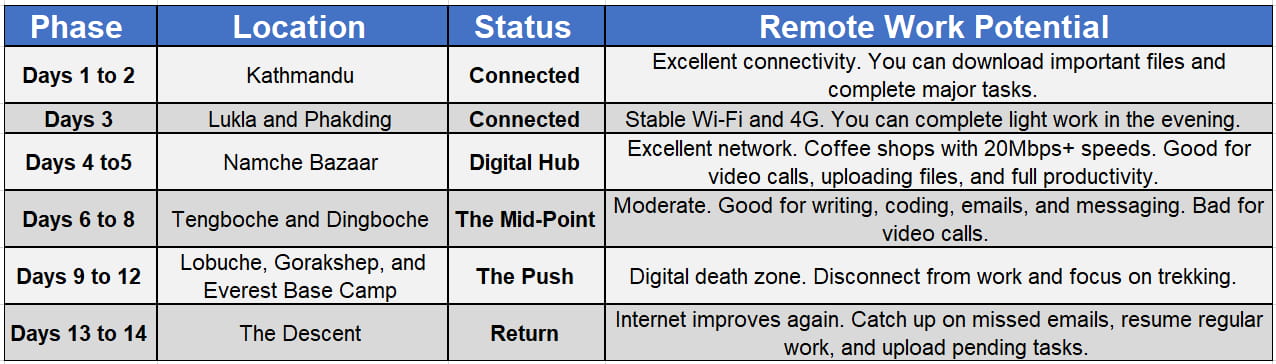
The Work from Trail Itinerary:
A standard Everest Base Camp trek is usually work friendly with some days being excellent for work and some days allowing you to completely disconnect and enjoy the essence of Himalayan trekking.
Best Devices and Gear for Digital Nomads Trekking to Everest Base Camp
A major part of being able to successfully work during your Everest Base Camp is to be equipped with the right kind of gear. And this doesn’t necessarily mean high tech gear, it means gear that will keep you comfortable on the trek. Your mobile office must strike a delicate balance between weight, durability, and extreme environmental performance.
1) Laptop: Skip the heavy workstation and instead carry a lightweight laptop that is easy to carry but gives a good performance. The MacBook Air would be a good option. Pick something that is fanless so no dust enters the device, lightweight, and has a good battery life.
To protect your laptop, keep it in a padded dry bag inside your porter’s duffel or your daypack to protect it from condensation and the fine Himalayan dust. You can also carry an antitheft bag to prevent it from being stolen.
2) Storage: Instead of carrying mechanical hard drives, choose compact SSDs as HDDs have moving parts that can fail in low-pressure environments. You’ll be backing up important client files or high-resolution videos of the trek, so you need a drive that won't freeze when the temperature hits 0 degrees.
3) Power Backup: While the Everest Base Camp trek features feasible charging options, it does cost extra and sometimes the availability might be less. Therefore, it is always best to carry high-capacity power banks.
Solar powered chargers can also be a great way to make your trek sustainable along with budget friendly. A pro tip is to store your power banks in a wool sock inside your sleeping bag at night. If a lithium battery hits freezing temperatures, its capacity can drop by 50% instantly.
4) Audio Gear: Having a peaceful environment is an important part of getting your job done quickly. And teahouses in the Everest region are legendary for their thin walls and noisy dining halls. Therefore, it is best for your remote office to carry earphones with active noise cancellation to filter out any noise. You can also opt for headphones with Wind Noise Reduction if you plan on taking calls while sunbathing in front of the teahouse.
Everest Region Trek Packages:
Practical Tips to Balance Remote Work and Trekking:
While you work during the trek, remember that you are still trekking and this is your one chance to take a break from the hectic schedule of your day to day life. So, try to strike that balance between trekking and remote work.
- Try to get your work done during the acclimatization days so that you don’t have to rush through the trekking days.
- Inform the clients and your team in advance about the limited connectivity, time zone differences, and availability windows.
- Instead of being online all the time, try to download the work and get it done offline. You can upload it once the connection is strong. This will prevent loss of data.
- Adapt the ‘trek early, sync late’ mantra as most trekking days typically end in the afternoon, which leaves your late evenings free for work after a brief rest.
- High altitude internet cannot handle 2 hour zoom marathons. So, switch to asynchronous modes of communication.
Challenges Digital Nomads Should Expect
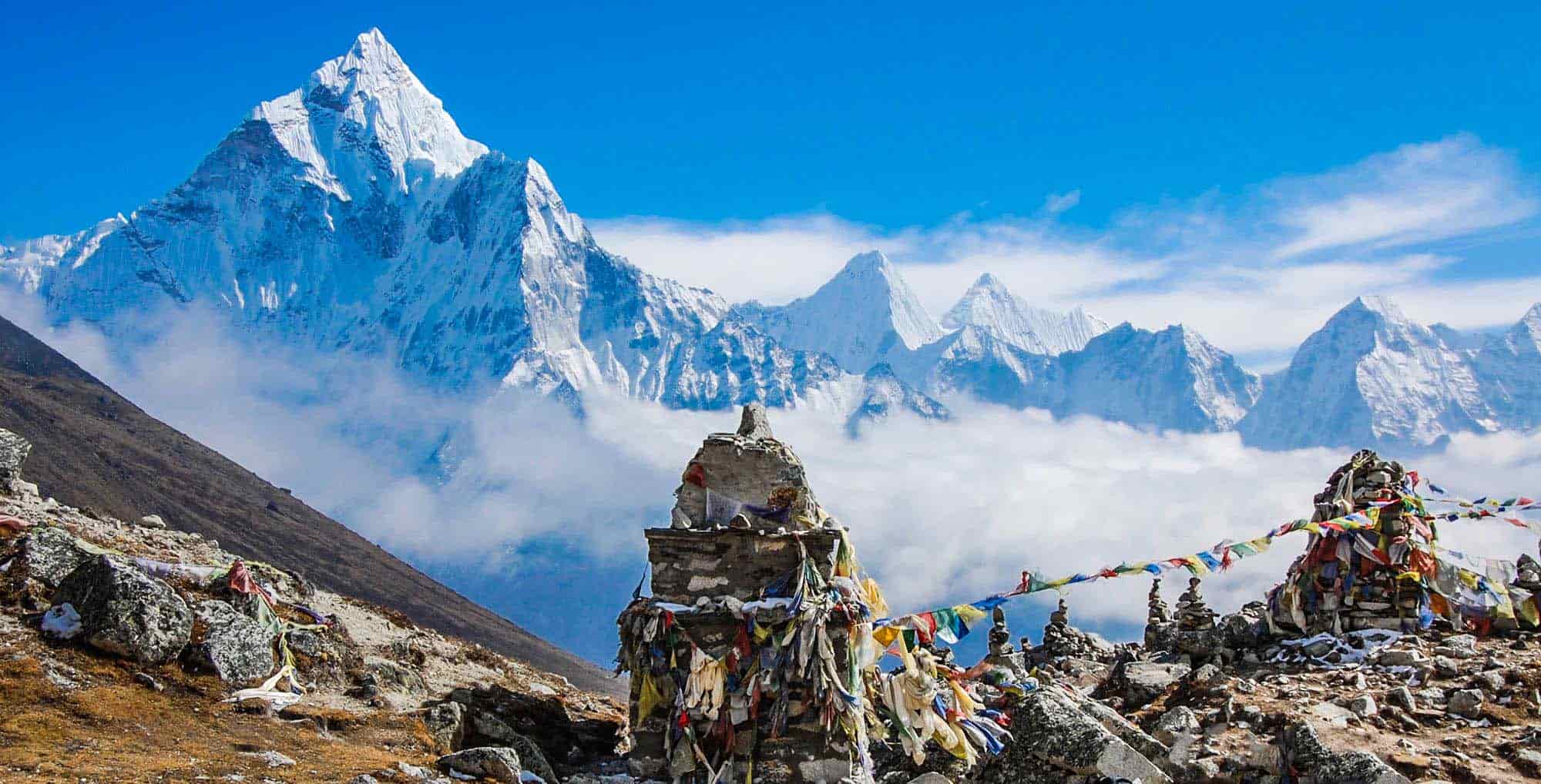
Yes, the Everest Base Camp Trek is one of the most feasible trails for those looking to take their work along. Having said that, it is still a trek amidst the Himalayas. So, you need to be prepared for certain challenges that you might face. First of all, expect internet speed to be just decent enough. Speeds fluctuate based on the weather. A clear morning might give you 5 Mbps, while a snowy afternoon might struggle to load an email.
Secondly, while charging stations are available, as you go higher on the EBC trek, the number of these stations starts thinning out along with an increase in the cost. You might be able to charge your device just for a short duration. For phones, carrying solar powered power banks is a great option.
Now, even if you have a fully charged device with a good internet connection, your altitude brain might show up at the exact moment. Working at 4,000m+ is different. Your brain uses more oxygen than any other organ, and this is made worse by the physical fatigue caused by the trek. Due to this, you might find it harder to solve complex code or write creative copies. The best way around this is to get your high-focus tasks done in the first two hours after waking up when your oxygen saturation is highest.
Also Read: Top 10 Things to Know Before Trekking in the Everest Region
Conclusion
Trekking to the Everest Base Camp in 2026 is no longer about staying disconnected from the world. If that is what you want, well and good. You can just skip the connectivity options. But if you want to remain productive while experiencing one of the most extraordinary landscapes on Earth, that is no longer a dream. The Everest Base Camp Trek represents the perfect fusion of modern work and timeless adventure. All you need is the right partner who can solve the logistical challenges, and you are good to go. At Beyond the Limits Treks and Expeditions, you won't just get a trekking guide.
You will get a team that understands your need to stay connected to the world while standing on top of it. So, book our Everest Base Camp trek today and ditch your office cubicle for a natural cubicle in the Himalayas.